


Pocket Prep IT & Cybersecurity
4.3348.00 Reviews
App Specs
- Version
- 3.29.1
- Updated On
- License
- Free
- Downloads
- 100,000+
- Developer
- Pocket Prep, Inc.
- Categories
- Education
- Platform
- Android
Screenshots
 Analysis by AppCompare
When I’m studying for an IT or cybersecurity certification, I don’t always have the time or focus for a long lesson. I want to open an app, work through a few useful questions, and leave knowing what I need to revisit. Pocket Prep IT & Cybersecurity is built around that kind of practice, and I find it most helpful as a study companion rather than a complete replacement for a course or reference book.
Designed for short, focused study sessions
The app’s question-led approach suits learners who already have a certification in mind and want to turn spare moments into deliberate practice. Instead of deciding what to read next, I can choose a topic and use questions to check what I know. That makes it easier to begin when I have only a short break, while still leaving room for a longer session when I’m ready to review a difficult area.
A useful habit is to treat each answer as a prompt for further study, not as a finish line. If I get a question wrong, I can note the underlying concept and return to it in a book, course, or hands-on lab. That distinction matters in IT: recognizing a term in a multiple-choice question is not the same as being able to configure a system or troubleshoot a real problem. Used this way, the app helps me identify gaps without overstating what a quiz score means.
Where it fits among certification resources
For exam preparation, the usual alternatives include textbooks, video courses, instructor-led classes, and practice tests from other providers. Each serves a different purpose. A book or course can explain a topic from the ground up; a lab lets me apply it; a question bank helps me test recall and spot weak points. Pocket Prep’s strength is the last of those jobs, especially when I want a compact session on my phone rather than a full study setup.
I wouldn’t rely on any practice-question app as my only preparation for a demanding certification. Explanations can help clarify why an answer is right, but practical skills and broad understanding still need other resources. I’d use the app alongside the current exam objectives and a trusted learning source, then check that my study plan covers the whole syllabus rather than just the subjects that happen to feel comfortable.
A realistic routine that makes the questions count
Imagine I’m waiting for a delayed train with ten minutes to spare. I can use that time for a small practice set, read the explanations carefully, and save a note about a topic that keeps catching me out. Later, at home, I can return to that topic with a book or lab instead of spending the evening repeating questions I already know. The value is not simply fitting in more quiz time; it is using each session to decide what kind of study should come next.
For a more deliberate weekly routine, I’d alternate broad checks with focused review. A mixed session can show whether I’m overlooking an area, while a topic-focused session can help me work through a specific weakness. I’d also avoid treating a run of correct answers as proof that I’m exam-ready: familiarity with repeated questions can make progress look stronger than it is. Pausing to explain the reasoning in my own words is a better test of whether the idea has stuck.
Worth Reading Before You Choose

EA SPORTS FC Mobile 26 Is a Bigger Football Game, but It Takes Time

Flipboard Shows What News Apps Must Do Beyond the Feed

Switching to Android Auto Means Rethinking Your Driving Routine

Google Calendar Makes a Crowded Week Easier to Manage

Ludo King Makes the Most of the Minutes Between Plans

Baby Panda World Brings Quick Play to Modern Phones, but Its Game Library Feels Busy
Who is likely to get the most from it
This approach is a good fit for people who are already studying for one of the supported IT or cybersecurity certifications and want flexible question practice between other commitments. It can also suit returning learners who need a structured way to find rusty topics before committing to a full course. The developer, Pocket Prep, Inc., focuses the app on certification preparation, and its education category is reflected in the practical, exam-oriented way it is meant to be used.
I’d be less likely to recommend it as a starting point to someone who has not chosen an exam or does not yet understand the basic vocabulary. A question bank can expose gaps, but it may feel discouraging if every question introduces unfamiliar material. In that situation, a beginner-friendly course, instructor, or textbook is a better first step; the app can become more useful once there is enough background to learn from the explanations.
Reading, navigation, and everyday access
I find that question-led study can be easier to navigate when I decide what I want from a session before opening it: a quick knowledge check, or a closer look at a weak topic. That small choice can reduce aimless tapping and help me finish with a useful next step. The way a study format feels on a phone also depends on the learner and setting, so motor and sensory considerations deserve a closer look.
Readability and navigation
In my experience, the straightforward question-and-explanation format keeps the study task clear: answer, check the reasoning, and decide what to review. The app is intended for mobile study, so it works naturally for people who prefer handling short tasks on a phone or tablet. Its current version is 3.24.5, and it has an average rating of 4.3 from around 2.7 thousand ratings, with over 100 thousand installs. Those figures suggest that it has found an audience, though they can’t tell me whether its teaching style will suit every learner.
The range of material is another practical consideration. The app supports preparation across 25 IT and cybersecurity certification exams, with a library of more than 20 thousand practice questions. That breadth can be helpful if I’m comparing study paths or working toward another credential later. It also means I should check that I’m choosing the right certification and topic before starting a session; broad coverage is useful only when it matches the exam I’m actually preparing for.
Motor and sensory considerations
Question practice is a less physically demanding study format than writing extensive notes, but it still asks the learner to read, select answers, and move through screens. I’d choose a quiet moment and a comfortable device setup if small on-screen controls or sustained reading are tiring. The app’s short-session style can make it easier to stop and resume at a manageable pace, though that does not remove the need to consider whether its interface works comfortably for an individual’s vision, dexterity, or attention.
For sensory and concentration needs, I’d keep sessions purposeful rather than trying to push through a large block of questions. Reading the explanation after each answer is important, and rushing can turn practice into tapping without learning. A learner who benefits from spoken instruction, high-contrast materials, or a more customizable reading experience may prefer to pair the app with resources that clearly offer those options. I wouldn’t assume that a mobile format alone makes study accessible to everyone.
Situational access and remaining barriers
The main everyday advantage is portability: I can fit a few questions into a break, a waiting period, or a quiet commute, then do deeper work later. That flexibility is useful for people balancing study with work or family commitments. Still, studying on a moving bus, in a noisy room, or while multitasking can make it harder to absorb technical explanations. I’d use those settings for a quick check and save demanding review for a place where I can concentrate.
The app is free to download, with in-app purchases priced from $20.99 to $124.99 per item, so I’d look at the available options before building a plan around paid access. It is rated for Everyone and requires Android 8.0 or later on Android. Those details make the basic entry point approachable, but the purchase range is meaningful: anyone on a strict budget should check what access is included before depending on a particular set of study material.
Inclusive verdict
Overall, I see Pocket Prep as a practical way to bring certification questions into the small spaces of an ordinary day. It is most useful when I already have a learning plan, know which exam I’m targeting, and use missed answers to guide deeper study. Its portability and focused practice can make preparation feel more manageable, but they do not turn quiz work into hands-on experience or replace a complete explanation of unfamiliar subjects.
The app was released on February 15, 2021, and its current version is 3.24.5. For me, the sensible choice is to try the free entry point, check whether the question format and reading experience fit my needs, and compare the purchase options with the rest of my study budget. I’d recommend it to a friend who wants structured mobile practice; I’d suggest a course, book, or lab first for someone who needs foundational teaching, practical demonstrations, or a different way to access learning material.
Getting Started with Pocket Prep
First things first, downloading and setting up Pocket Prep IT & Cybersecurity is a breeze. Available on both Android and iOS, it's a quick install from the app store. Once you're in, the app greets you with a user-friendly interface that’s intuitive and easy on the eyes. You can dive right into the wealth of resources available or take a moment to explore the different features.
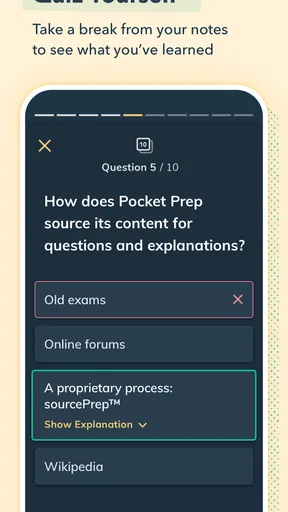
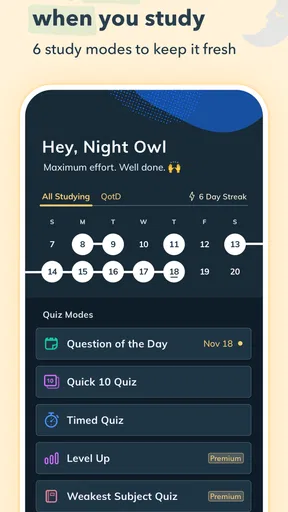
One of the features that immediately caught my eye was the customizable practice tests. You can choose the number of questions, topics, and even the difficulty level. It’s like building your own perfect study session. I found this particularly useful when I wanted to focus on specific areas where I needed improvement.
Deep Dive into Study Features
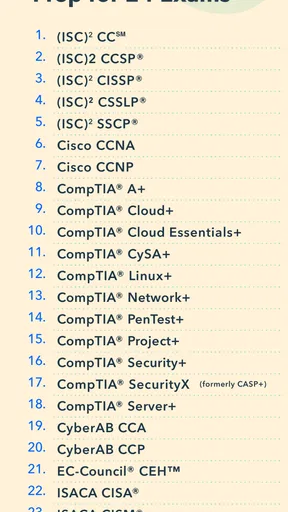
Okay, so let’s talk content. The app covers a wide range of certifications, from CompTIA Security+ to CISSP and everything in between. Each area is packed with practice questions, detailed explanations, and references to industry-standard textbooks. It almost feels like a well-organized digital library.
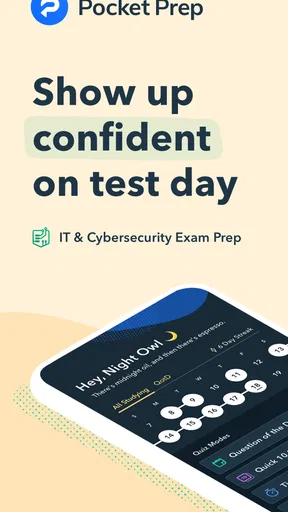
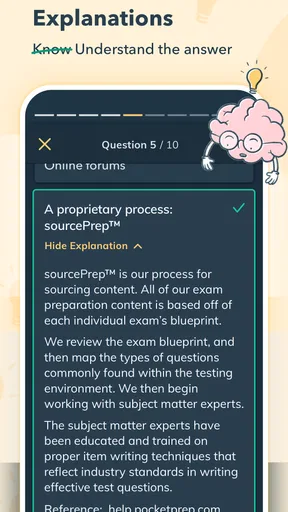
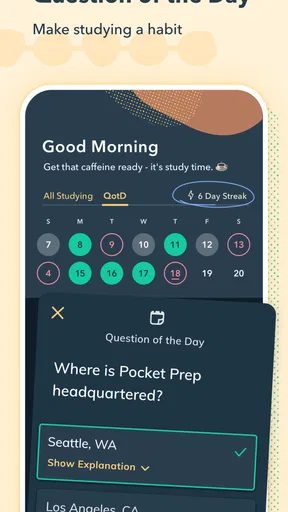
What I really loved was the "Question of the Day" feature. It’s a great way to keep up with daily practice without feeling overwhelmed. Plus, the app sends you reminders, so you don’t miss out. Each question comes with a comprehensive explanation, so you’re not just memorizing answers but actually understanding the concepts.
Performance Tracking and Feedback
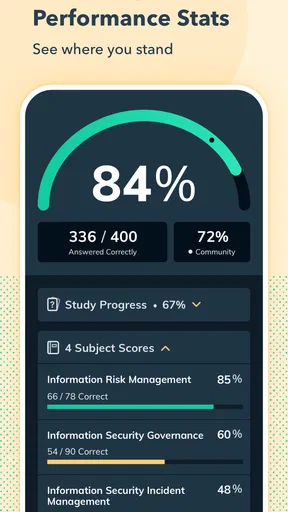
Now, I’m all about tracking progress, and the app does not disappoint in this area. It offers detailed analytics and performance tracking features that show you where you stand. You can see your strengths and pinpoint those pesky topics that need more work. The feedback is real-time and helps in planning future study sessions effectively.
Oh, and did I mention the app keeps your study sessions synced across devices? So, whether you’re on your phone or tablet, you can pick up right where you left off. It’s perfect for those of us who like to squeeze in a quick study session during commutes.
Community and Support
Sometimes studying can feel like a solitary journey, but not with this app. Pocket Prep IT & Cybersecurity has a vibrant community of learners and professionals. Within the app, you can access forums and discussion boards where users share insights, tips, and motivational support. It’s like having a study group available 24/7.
Plus, the app’s support team is just an email away. They’re responsive and genuinely seem to care about your success, which is a refreshing change in today’s automated world.
Final Thoughts
So, if you’re gearing up for an IT or Cybersecurity certification, I’d highly recommend giving Pocket Prep IT & Cybersecurity a try. It’s comprehensive, interactive, and designed to fit into your busy life seamlessly. Whether you’re a newbie or a seasoned pro, this app can help you feel more prepared and confident.
With its mix of robust features, community support, and detailed feedback, it’s a game-changer for anyone looking to ace their exams. So go ahead, download it, and let me know what you think!
Pros
- Comprehensive question bank for various exams.
- User-friendly interface with intuitive navigation.
- Customizable study modes for personalized learning.
- Offline access ensures study anytime
- anywhere.
- Performance tracking helps identify weak areas.
Cons
- Limited free content; premium required for full access.
- Some questions may lack detailed explanations.
- Occasional app crashes reported by users.
- No live tutor support for complex queries.
- Requires regular updates for optimal performance.
FAQs for Pocket Prep IT & Cybersecurity
What is Pocket Prep IT & Cybersecurity, and what does it offer?
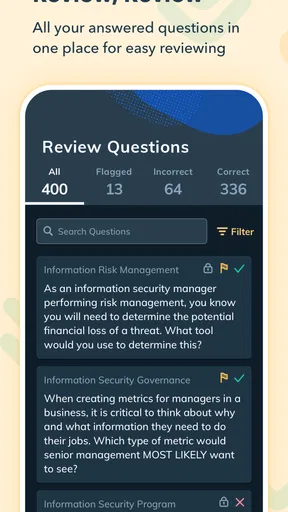
Pocket Prep IT & Cybersecurity is a comprehensive study app designed to help users prepare for various IT and cybersecurity certification exams. It offers a wide range of practice questions, detailed explanations, and customized study modes to enhance learning. The app provides a user-friendly interface and is available on both Android and iOS platforms.
How does the app personalize the learning experience?
The app personalizes the learning experience by allowing users to customize their practice tests based on specific topics or difficulty levels. It tracks progress and adapts to the user’s performance, highlighting areas that need more focus. Additionally, users can set study reminders and create their own study schedules for better time management.
Is Pocket Prep IT & Cybersecurity suitable for beginners?
Yes, Pocket Prep IT & Cybersecurity is suitable for beginners as well as seasoned professionals. It offers a range of questions from basic to advanced levels, catering to different knowledge levels. The detailed explanations provided for each question help beginners understand complex concepts and build a solid foundation in IT and cybersecurity.
What types of certification exams does the app cover?
The app covers a wide variety of IT and cybersecurity certification exams, including CompTIA A+, Network+, Security+, and AWS Certified Solutions Architect, among others. This wide range ensures that users can find relevant study material for the specific certifications they aim to achieve, making it a versatile tool for exam preparation.
Does Pocket Prep IT & Cybersecurity require an internet connection?
While an internet connection is required to initially download the app and any updates, Pocket Prep IT & Cybersecurity offers offline access to practice questions and study materials. This functionality allows users to study anytime and anywhere, making it convenient for those with limited or no internet access during their study sessions.


